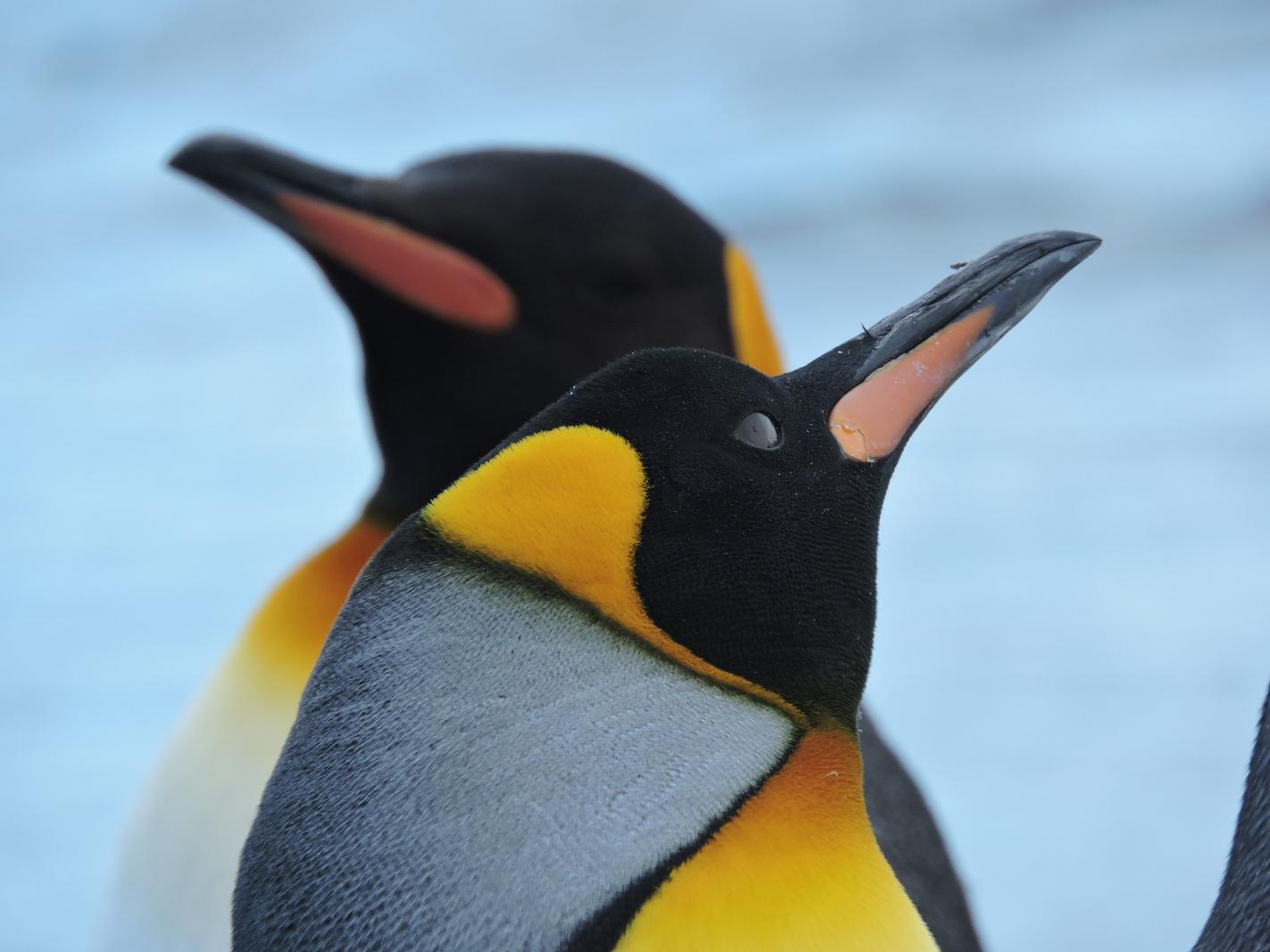
Elegant shapes, gentle light, and a pleasing sense of closeness to the birds.
You’re working in wildlife portrait territory here and you’ve done well to get so close with calm, soft light. On your questions: 1) The dark wedge in the lower right can be removed cleanly without cropping—use a healing or content‑aware tool (Lightroom’s Heal/Remove or Photoshop’s Content‑Aware Fill). Because the background is a simple blue/grey gradient, it’s an easy repair: make a feathered selection around the wedge, fill content‑aware, then tidy edges with a low‑flow healing brush so the gradient stays smooth. If you want to keep things “in camera” next time, a tiny step to your left or a half‑stop wider aperture would have pushed that third penguin out of frame or into deeper blur. 2) Yes—the second penguin being soft works; it adds depth and context while keeping the lead bird dominant. I’d just ensure the foreground eye/face is the crispest point in the frame, as that’s where connection lives. Does the gentle upward tilt and closed eye of the front bird say what you want about the moment, or would a breath later with the eye open have strengthened it?
TECHNICAL EXECUTION ★★★★
Focus on the lead penguin looks good, with fine detail in the feathers and beak. Exposure is well controlled—whites aren’t blown and blacks hold detail, which is easy to mishandle on these birds. Colours feel natural and not over‑pushed, keeping the yellows and oranges believable. Background noise is minimal and the shallow depth of field is managed sensibly. To reach five stars, I’d like to see the sharpest point landing decisively on the eye and a fully clean edge free of the lower‑right intrusion (either in-camera or with a discreet heal).
COMPOSITION ★★★
The diagonal sweep of the lead bird from bottom left to top right is strong, and the soft second bird provides a supportive layer. The frame feels slightly crowded at the top right where the beak approaches the edge, and the dark shape in the lower right pulls the eye. The background penguin’s beak is nicely separated from the foreground head—good spacing there. A touch more breathing room ahead of the lead beak or a very slight leftward shift would have balanced the shapes and eliminated the edge distraction. What story do you want the pair to tell—intimate pair, or solitary portrait with a hint of colony? Your framing can state that more clearly.
LIGHTING ★★★★
Soft, overcast light is doing you a favour—colour is rich without glare, and feather texture is readable. The blacks on the head hold shape without crushing, and there’s a gentle roll across the grey body. A tiny local lift on the side of the face could add pop without breaking the natural look. A catchlight would elevate the connection, though I appreciate the eye is closed here. Five stars would need a small spark—either a catchlight, a directional kiss of side light, or a brief shaft of warmth at the right angle.
STORY ★★★
There’s a suggestion of calm—head tilted up, eye closed—while the second bird hints at colony life. It’s a pleasant, dignified portrait rather than a behaviour moment. Without interaction between the two, the narrative stays light. An open eye, a call, or mirrored pose from the second bird would add tension or connection. Consider what gesture you’re waiting for: are you after a tender pair moment, or the clean form of a single subject with a supporting shape behind?
IMPACT ★★★
The colours and closeness draw attention and the soft background penguin adds depth. The lower‑right intrusion and near‑touching beak to frame edge dilute that first hit. It’s a polished, pleasing image that many will enjoy, but it doesn’t yet have the bite of a competition piece. Clean edges and a slightly stronger gesture would push it up a tier. A tiny refinement in timing or framing would make this stick longer in the mind.
CONSTRUCTIVE NEXT STEPS
✓ Remove the lower‑right wedge non‑destructively: in Photoshop, lasso a soft selection around it, Edit > Content‑Aware Fill, then refine with Healing Brush at low flow to keep the background gradient smooth. In Lightroom, use the Heal tool (Content‑Aware) with a large, feathered brush.
✓ Field craft for cleaner frames: take a small step left and slightly lower your viewpoint so the background is open water/ice, not other penguins; shoot a short burst and pick the frame with the best spacing and beak clearance.
✓ Depth‑of‑field control: if you want the rear penguin recognisable but soft, aim around f/4–f/5.6 at this distance; keep single‑point AF on the lead eye and a shutter of ~1/500s+ for handheld sharpness.
✓ Subtle polish in post: a gentle dodge (5–8% flow) on the side of the lead face and a micro‑contrast lift on the black head can add presence; keep it restrained to preserve the natural look.
AI Version 2.0