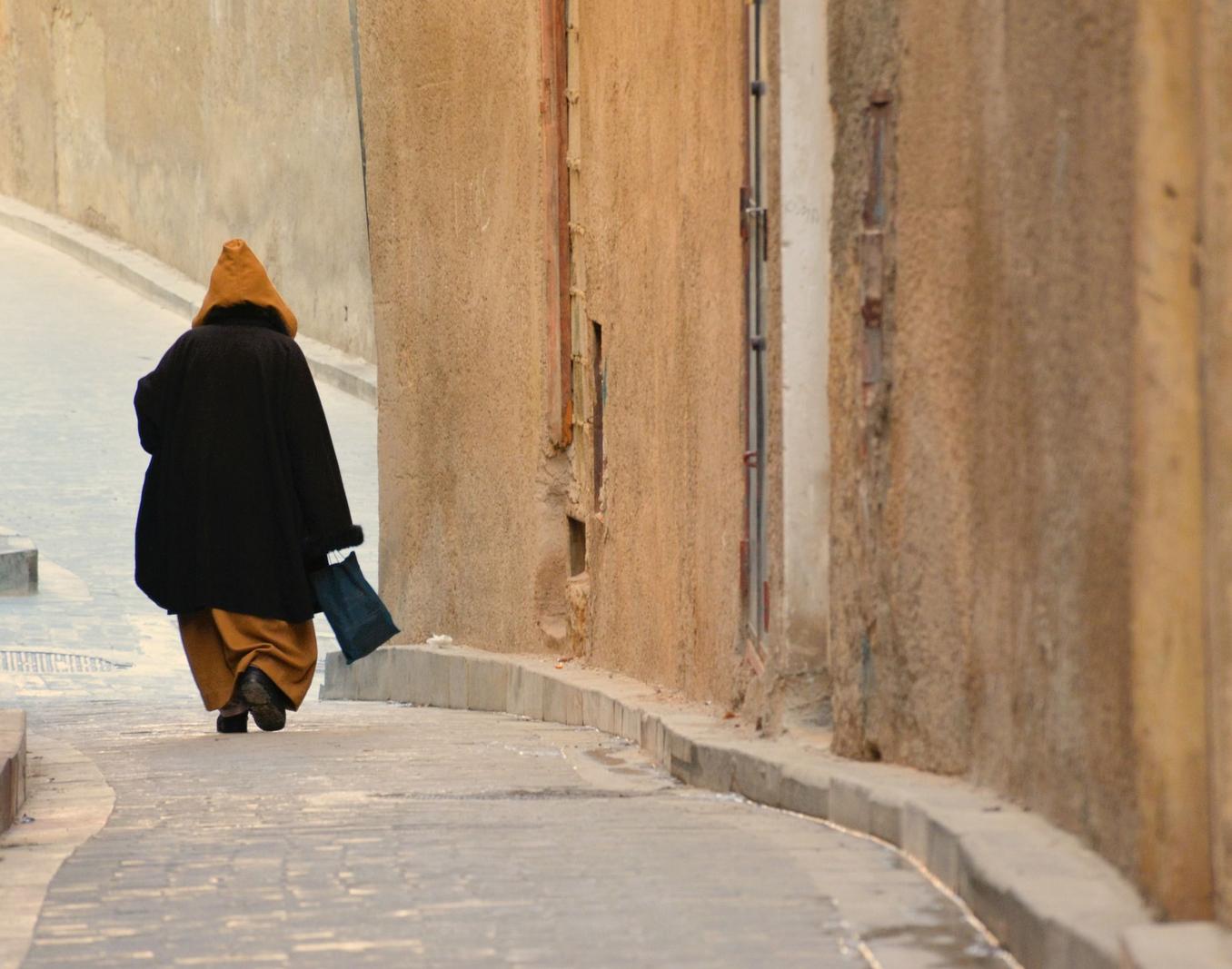
Quiet, earthy tones carry a simple alleyway scene, but the frame is tripped up by the left edge.
The cleanest way in GIMP is: duplicate the layer, make a loose selection around the step, then use the Heal Selection filter (Filters > Enhance > Heal Selection). If you don’t have it, the Clone Tool (aligned) followed by the Heal Tool works well—sample cobbles from just above the step and rebuild the kerb line carefully; for straight edges use the Perspective Clone Tool to keep the curb’s angle consistent. Feather your selection 2–3 px so the repair blends. That said, a small crop from the left would solve it with less work and keeps the edit honest. Stepping back to the photo itself, this sits between travel and street: a solitary figure in a narrow lane with warm, textured walls and a gentle curve leading away.
TECHNICAL EXECUTION ★★★★
The exposure is well held; the warm palette of the walls and stones feels natural and unforced. Detail in the textures reads cleanly without obvious artefacts or heavy processing. The walker is acceptably sharp for a candid—no distracting motion blur or high ISO noise. Colour balance leans warm but matches the scene and materials. To push this to five stars you’d want the subject a touch crisper and perhaps a fraction more local contrast on the figure so they stand out from the walls.
COMPOSITION ★★★
The lane’s gentle S-curve is a good backbone and the figure is placed well to the left, moving into the frame. However, the bright step and sliver of pavement on the far left tug the eye away from the subject. The heavy slab of wall on the right dominates a bit, creating more dead space than needed. A tighter crop from the right and a few pixels from the bottom would concentrate attention on the person and the curve. When you pressed the shutter, what made you choose this amount of right-hand wall—was it to emphasise scale, or could less have said more?
LIGHTING ★★★
Soft, even light keeps the tones gentle and the textures readable. It suits the quiet feel, but it also flattens the scene slightly—there’s little separation between the dark coat and the wall. The brightest area is actually the pale pavement and kerb on the left, which competes with the subject. A subtle burn on those bright edges and a light dodge on the walker’s coat would guide the eye better. Returning when a shaft of side light hits the curve would add depth and a clearer visual anchor.
STORY ★★★
A lone figure, hood up, carrying a bag down a narrowing alley hints at quiet routine and place. It’s a calm moment rather than a decisive one; the person’s back gives distance, which fits the mood but limits emotional pull. A stronger gesture—full stride, a turn of the head, or the figure passing a small window—would add tension. Did you wait for a second or two to see if their step reached a cleaner peak or if they moved into a brighter patch?
IMPACT ★★★
The picture is pleasant and cohesive, with a restrained colour palette that matches the subject. It doesn’t quite stick in the memory because the attention leaks to the frame edges and the moment is modest. Clean up that left distraction and tighten the right side, and the scene gains focus. A small, purposeful change in timing or light would lift the presence considerably.
CONSTRUCTIVE NEXT STEPS
✓ In GIMP, duplicate the layer, lasso around the left step, apply Heal Selection (or Clone Tool then Heal Tool). Use a 2–3 px feather and sample from the adjacent cobbles/kerb to maintain texture and angle.
✓ Crop 5–10% from the right and a sliver from the bottom/left to remove dead space and keep the viewer on the walker and the lane’s curve.
✓ Subtle local adjustments: burn the bright left kerb and foreground pavement; lightly dodge the walker to create separation without looking “edited”.
✓ In-camera next time, take one step right and lower your viewpoint to make the curve of cobbles a stronger lead-in, and time the shutter for a clear mid‑stride or when the person enters a brighter patch of light.
AI Version 2.0